
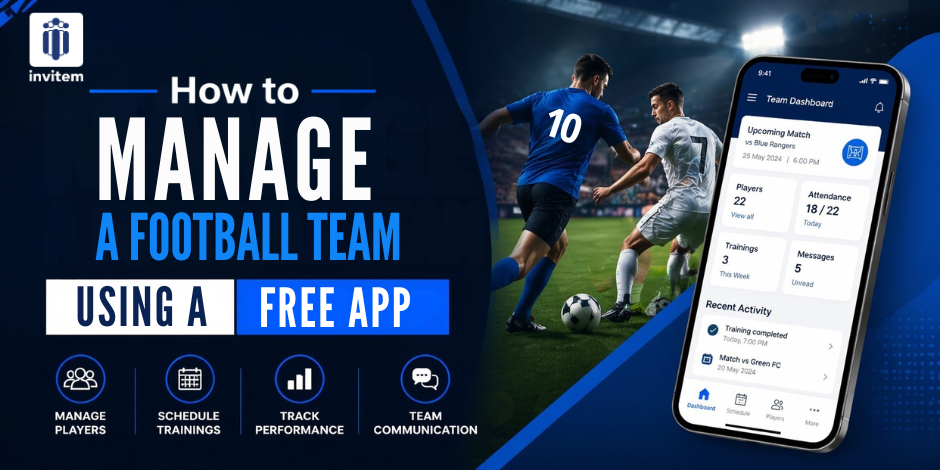
How to Manage a Football Team Using a Free App
Running a grassroots football team is a full-time commitment squeezed into the margins of a busy life. You are coordinating twenty-plus players with varying availability, collecting subs from people who always seem to pay at the most inconvenient moment, best sports team management software managing a WhatsApp group that never stops, and trying to make sure everyone knows which pitch they are turning up to on Sunday morning.
The good news is that every single one of those challenges can be handled from your phone for free. This guide shows you how to use a dedicated team management app to run your football club with less time, less stress, and far fewer Saturday morning surprises.
The Grassroots Football Manager’s Biggest Headaches
Before getting into solutions, it helps to name the specific problems that consume most of a grassroots manager’s time. Based on what managers consistently report, the biggest time drains are:
- Availability checking:
Posting ‘Who is available Sunday?’ and waiting two days to get a full picture. Often followed by three people pulling out on Saturday night. - Payment collection:
Chasing subs and match fees is a task that never ends and always creates awkwardness. - Communication chaos:
The WhatsApp group that contains important updates, irrelevant banter, injury reports, and photos from last season’s end-of-year do, all mixed. - No-shows and late dropouts:
Players who confirm and then do not appear, leaving the manager short of players on matchday. - Venue and kit confusion:
Players turning up at the wrong pitch, wearing the wrong kit, and forgetting to bring the equipment bag.
None of these problems is unique to any one club. They are structurally caused by using tools that were not built for the job. The right app fixes all of them.
Why Most Football Teams Are Using the Wrong Tools
The combination of WhatsApp for communication, bank transfer for payments, and a personal spreadsheet for availability is the de facto system for most grassroots clubs. It sort of works, but it requires constant manual effort to maintain and regularly breaks down.
WhatsApp gives you messages, but no structure. Bank transfers give you money but no record. Spreadsheets give you data but require constant manual updates. None of these tools talks to each other, so you end up being the connection between them, manually moving information from one place to another and spending your Sunday mornings managing admin instead of managing football.
A dedicated football team management app handles all of this automatically in one place.
CTA – The right app replaces WhatsApp, bank transfers, and spreadsheets with a single tool that manages everything and costs nothing.
Invitem: The Free Football Team Management App
Invitem is used by football clubs across the UK, from Sunday league teams to youth academies and women’s football clubs. It was built by coaches who experienced exactly the problems described above and wanted a tool that solved them properly. Here is how Invitem handles each of the grassroots football manager’s core challenges.
Solving Availability Checking
Create an RSVP for Every Match and Training Session
Instead of posting a question in a WhatsApp group and manually counting responses, create an RSVP event in Invitem for each match or training session. Players receive a notification, open the app, and tap Yes or No. You see the count update in real time.
The RSVP system in Invitem is far more powerful than a simple poll. For a Sunday league match, you can:
- Set a maximum squad size with an automatic waitlist for additional players
- Add a priority list for first-choice players who get confirmed before the rest
- Set auto-decline rules so latecomers automatically receive a ‘squad full’ response
- Add a Google Maps link to the match venue so nobody asks which pitch
- Assign match-day tasks who bring the match ball, who set up the goals, and who collect the captain’s armband
- Send automated reminder notifications 48 and 24 hours before kick-off
By the time Saturday arrives, you know exactly who is in the squad, who is on the bench, and what everyone is responsible for.
Solving Payment Collection
Subs and Match Fees – Collected in the App
Connect Stripe to Invitem, and your players can pay subs, match fees, or social contributions directly through the app. Stripe, Apple Pay, and Google Pay are all supported. No bank details shared in the group chat. No cash at training.
For Sunday league clubs that collect a match fee from selected players, the payment-before-RSVP feature is particularly useful. Set the match fee as a requirement for RSVP confirmation. Players who have not paid cannot confirm their place in the squad. This creates natural accountability and eliminates the awkward conversation about unpaid fees.
A dedicated subs paid checkbox within each event lets you track payment status at a glance. You can see instantly who is current and who is outstanding, without maintaining a separate record.
Solving Communication Chaos
Group Chat With Real Admin Control
Invitem includes a WhatsApp-style group chat for every team. The critical difference is that, as a manager, you have genuine control over how the chat operates.
Before a big match, you can disable member posting and use the chat as a one-way announcement feed to send warm-up times, kit colours, and team news without the distraction of 20 conversations. After the match, you can re-enable member chat for the post-match debrief.
Individual members who are consistently disruptive can be muted without removing them from the group. They continue to receive updates but cannot post.
The Info Hub: Your Football Club’s Digital Notice Board
The Info Hub in Invitem is a central place where you store everything players regularly need to find:
- Home and away ground addresses with Google Maps links
- Kit colours for home and away matches
- Contact numbers for the secretary, physio, or referee liaison
- Team rules and code of conduct documents
- Fixtures list for the season
- Social media pages
When a player asks, ” What time and where is Sunday’s match?’, the answer is in the Info Hub. They find it themselves without you needing to respond.
Managing Youth and Sunday League Football Specifically
Sunday League
Sunday league football has specific characteristics that make a good app essential. Availability fluctuates week to week. Player commitment varies. Collecting match fees is a constant task. Weather and referee availability change plans at the last minute.
Invitem’s RSVP system, with automated reminders and payment gating, handles availability and payment issues. The ability to send a rapid message to all confirmed attendees via the group chat handles enables last-minute changes. The Info Hub keeps venue details permanently accessible.
Youth Football
For youth football, the audience shifts slightly, and communication needs to reach both parents and players. Invitem supports sub-user accounts that allow parents to manage their child’s RSVP and communication. Coaches can send updates that reach both players and their parents simultaneously.
For under-18s, having a structured app rather than an open WhatsApp group also provides a level of safeguarding communication that is organised, recorded, and controlled by the club admin rather than an unmoderated group.
Setting Up Your Football Team on Invitem: Step by Step
- Download Invitem:
Free on the App Store and Google Play. Takes under a minute. - Create your team group:
Name it after your club, set football as your sport, and write a brief description. - Invite your squad:
Share the group link in your existing WhatsApp group or via text. Players join with one tap. - Add your Info Hub content:
Add your home ground address, away ground addresses, kit colours, and any standing documents. - Create your first RSVP:
Set up next week’s training session or match with capacity limits and reminder notifications enabled. - Connect Stripe for payments:
If you collect match fees or subs, link Stripe and set the payment requirement in your next RSVP.
How Long Does the Switch Take?
Most football managers who switch to Invitem are fully set up and running within an afternoon. Players who download the app and join the group will typically respond to the first RSVP within hours of it being sent.
The first month involves a small adjustment period as players get used to confirming through the app rather than replying in WhatsApp. After that, the process is faster and more reliable than anything a WhatsApp group can provide.
The Bottom Line
Football management need not be as time-consuming as it currently is for most clubs. The tools exist to automate availability checking, payment collection, and communication for free. Invitem brings all of that into one app. Download it, set up your group, and within a week,k you will wonder how you managed without it.
CTA – Download Invitem, a free tool built for grassroots football managers.
Download Invitem free on iOS & Android App Store and Google Play
Frequently Asked Questions
Is Invitem genuinely free for football clubs?
Yes. Invitem is completely free with no feature limitations. There is no paid tier, no premium upgrade, and no subscription required. Every feature, RSVP, payments, chat, documents, polls, and more, is available at no cost.
How many players can be in a group?
Invitem supports large groups. The platform handles clubs with extensive rosters alongside smaller Sunday league teams. No member limit would restrict a typical football club.
What happens if players do not respond to the RSVP?
Automated reminder notifications are sent to non-responders at intervals you choose. Players who have not responded are clearly visible in the RSVP dashboard, so you know who to chase, and automated reminders reduce the need for manual follow-up.
Can I manage multiple teams from one account?
Yes. If you manage a first team and a reserve team, or a senior club alongside a youth section, each team can be a separate group in your Command Hub. You switch between them from a single home screen.