
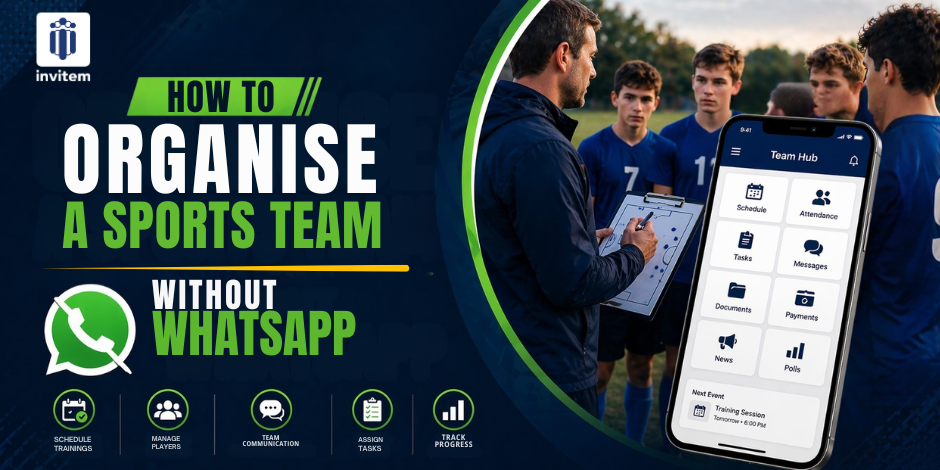
If you run a sports team or club, you already know the feeling. It starts a WhatsApp group for the squad. Within weeks, it has spiralled into 200 unread messages, three people asking the same question about training time, and a treasurer posting payment reminders that get buried under a torrent of GIFs.
WhatsApp was built for personal messaging. It was never designed to manage fixtures, track RSVPs, collect subs, or coordinate 30 players across different availability windows. And yet, millions of coaches and club managers use it anyway because, until recently, sports team communication app there was nothing better.
That has changed. This guide walks you through exactly how to organise your sports team without relying on WhatsApp, what to use instead, and why making the switch will save you hours every single week.
Why WhatsApp Is the Wrong Tool for Sports Teams
WhatsApp is great for chatting with friends. It is a poor tool for running an organised sports club. Here is why coaches and team managers hit the same walls repeatedly.
1. There Is No RSVP System
Every time you post Who is available Saturday?', you get 27 different responses in no particular order. Some people reply with a thumbs up. Some type 'maybe'. Some say nothing. You end up counting through a thread manually, trying to work out whether you have enough players. This is not managing a team; this is damage limitation.
2. Payments Are Invisible
Collecting subs or match fees on WhatsApp means sharing bank details in the group, then chasing individuals who haven't paid, and then doing it all over again the following week. There is no record, no accountability, and no way to see at a glance who is up to date.
3. Important Information Gets Lost
Venue changes, kit requirements, medical forms, fixture schedules, all of it gets swamped by casual conversation. By the time your players need the information, it is buried 300 messages deep.
4. There Is No Admin Control
Any group member can add new members, share files, or post at any hour. There is no hierarchy, no moderation, and no way to create a space where important updates actually stand out.
What You Actually Need to Manage a Sports Team
Before you switch to anything new, it helps to be clear about what a proper sports team management tool should give you. The essentials are:
- RSVP and availability tracking:
Players should be able to confirm or decline for each event, and you should be able to see the count at a glance. - Group communication:
A chat feed that is organised by group, not mixed in with personal messages, and where you can control who posts. - Payment collection:
The ability to collect subs, match fees, or social contributions securely, without sharing bank details. - Fixture and event scheduling:
A calendar that syncs with players' devices so nobody misses a training session or match. - Document and information sharing:
A place for venue addresses, kit lists, rules, and any other documents members need to access.
None of these is available in WhatsApp. All of them are available in Invitem for free.
CTA - Invitem is 100% free. Not a free trial. Not a freemium model. Completely free, with every feature included, forever.
How to Organise Your Sports Team on Invitem: Step by Step
Step 1 - Download and Set Up Your Group
Download Invitem from the App Store or Google Play. Creating your team group takes less than five minutes. Give it a name, add a description, set the sport type, and you are ready to invite members.
Step 2 - Invite Your Players
Share your group link via text, email, or an existing WhatsApp group. Players join with one tap. You can also add sub-user accounts for children, which is ideal for youth clubs where parents manage attendance on their kids' behalf.
Step 3 - Create Your First RSVP Event
This is where Invitem immediately proves its value. When you create an event, a training session, a fixture, or a social, you can set:
- Maximum capacity and waitlist rules
- Auto-accept or auto-decline based on player status
- Payment is required before the RSVP is confirmed
- Reminder notifications at intervals you choose
- Task assignments for individuals within the RSVP
- Google Maps location, so players always know where to go
Players receive a notification, open the app, and tap Yes or No. You see the count update in real time. No thread to scroll through. No manual counting.
Step 4 - Use the Group Chat on Your Terms
Invitem includes a WhatsApp-style group chat that lives inside each group. The critical difference is the mute system. As a host or admin, you can silence individual members or turn off all member chat entirely while still receiving host updates. You stay in control of your own communication environment.
Step 5 - Collect Payments Instantly
Set up Stripe in the app, and you can collect player subs, match fees, or event contributions directly through Invitem. Members pay using Stripe, Apple Pay, or Google Pay. No bank details shared. No payment chasing. A full record of who has paid is always visible.
Step 6 - Share Everything in the Info Hub
Your club's Info Hub is a central location for storing and sharing venue addresses, important documents (PDF, Word, or image format), contact details, useful links, social media pages, and more. Players can access it anytime they need it. Nothing gets lost.
Making the Switch: How to Move Your Team Off WhatsApp
The most common question coaches ask is: " How do I get my players to actually use a new app? Here is a practical approach.
- Post a single message in your WhatsApp group:
Let your players know you are moving to Invitem and why. Keep it positive, focus on the benefits for them, like no more missed fixture updates and easier payment. - Share the Invitem group link:
Invitem generates a shareable link for your group. Drop it in the WhatsApp chat and ask everyone to join within the next 48 hours. - Create your first event on Invitem:
Send the RSVP notification for your next training session through Invitem immediately. Players who have joined will receive it. This shows them immediately how it works. - Post updates exclusively on Invitem for two weeks:
Redirect all fixture updates, venue changes, and availability requests to Invitem. Players who remain on WhatsApp only will quickly notice they are missing information. - Archive the WhatsApp group:
After two to four weeks, archive or close the WhatsApp group. Your team now has one place for everything.
CTA - Tip: Coaches who run their first RSVP event through Invitem typically see adoption rates above 80% within the first week. The system sells itself once players experience it.
Unique Features That Make Invitem Stand Out
Beyond the core features, Invitem includes several tools that are genuinely rare in the sports app market.
- Team Fines and Penalties:
Issue fines for forgetting the kit, arriving late, or breaking team rules. Members can view and pay their fines directly in the app. It is popular among established clubs with an established fines culture.
- Group Polls and Votes:
Create single or multiple-choice polls, including image-based voting. Useful for deciding kit colours, choosing match venues, or gathering opinions on social events.
- Choice Lists:
For social events, you can create a structured list of options, meal preferences, dietary requirements, and accessibility needs, and collect member choices without managing a separate form.
- Personal Profile / CV:
Each user has a profile that can include a biography, career highlights, and links to online profiles. Useful for business networking events or coaching directories.
The Bottom Line
WhatsApp is not going away, and you probably do not need it to. WhatsApp alternative for teams. The problem was never the messaging. The problem was using a messaging tool for tasks it was never designed for: tracking availability, collecting money, and keeping 30 people informed throughout a sports season.
Invitem handles every single one of those things. It costs nothing. It takes minutes to set up. And once your team is on it, the hours you save every week will speak for themselves.
CTA - Ready to replace WhatsApp for your sports team?
Download Invitem free on iOS & Android - App Store and Google Play
Frequently Asked Questions
Is Invitem really free?
Yes. Invitem is completely free to use with no feature limitations. There are no paid tiers, monthly subscriptions, or premium upgrades required.
Does Invitem work for social groups as well as sports teams?
Absolutely. Invitem is used for sports clubs, social groups, holiday planning, business meetings, weddings, and any situation where a group of people needs to coordinate. The RSVP system and group chat work equally well for all event types.
Can I manage multiple teams from one account?
Yes. The Command Hub in Invitem displays all your groups on a single screen. You can create or join multiple groups and switch between them instantly.
Is the app available on both iPhone and Android?
Yes. Invitem is available on iOS and Android, and members can sync across multiple devices.