
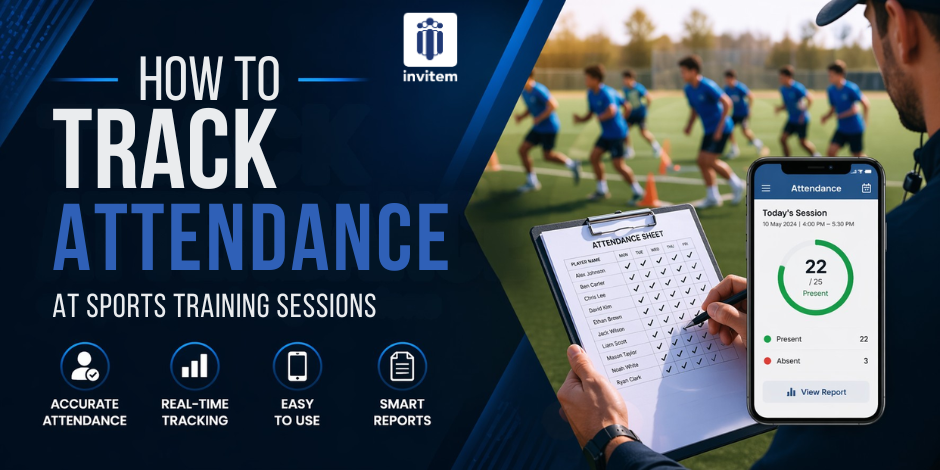
How to Track Attendance at Sports Training Sessions
Tracking training attendance may seem simple. In practice, it consumes a surprising amount of time and mental energy for coaches and club managers who already have enough to focus on.
The clipboard-and-register approach has been standard for decades. Someone calls out names, someone else ticks boxes, and the register gets filed in a folder that nobody looks at again. The result is a record that is often inaccurate, always delayed, and rarely used to make meaningful decisions about player development or club management.
Digital attendance tracking changes this entirely, group event planning app, and if you choose the right tool, it also eliminates the need to track attendance separately from your RSVP process. Your players confirm or decline for each session in advance, and you already know who is coming before the session even starts.
This guide covers why attendance tracking matters, why manual methods fail, and how to set up automatic attendance tracking for your sports team using a free app.
Why Attendance Tracking Matters
Player Development
For coaches trying to develop players, attendance data is valuable feedback. A player who attends every session but does not improve at the same rate as teammates tells a different story than a player who misses every third training session. Consistent records allow coaches to have informed conversations rather than guesswork conversations.
Fair Squad Selection
In competitive sports, selecting who plays in matches is a significant decision. Attendance records provide an objective basis for selection decisions that reduces perceived favouritism and gives players a clear understanding of what is expected.
Safeguarding and Duty of Care
For clubs working with children, accurate attendance records are a safeguarding requirement. Knowing who was present at each session, who dropped out, and when absences began is essential for fulfilling duty-of-care obligations.
Club Administration
Grant applications, insurance claims, and local authority reporting often require attendance data. Clubs with digital records in a consistent format are far better positioned to complete these processes than clubs relying on paper registers.
CTA – Attendance data is not just an admin record; it is a coaching tool, a selection framework, and a safeguarding document all in one.
Why Manual Methods Fail
Paper registers are the oldest attendance-tracking method and remain the most common. They fail in predictable ways.
- Inaccuracy:
People are called in, someone else answers, and the wrong box gets ticked. Registers filled in from memory after the session are even less reliable.
- No forward visibility:
A paper register tells you who came afterwards. It tells you nothing about who will be coming, so coaches cannot prepare properly for sessions.
- No data utility:
Information on paper cannot be analysed, searched, or shared easily. It sits in a folder, decaying.
- Admin burden:
Maintaining, filing, and looking up paper records takes time that adds up over a season.
WhatsApp availability polls fail differently. Coaches post ‘who is coming to training?’ and receive scattered responses over several days, some with context (injured, on holiday) and some without. Manually tallying the responses into any kind of record is a separate step that rarely happens.
How RSVP-Based Attendance Tracking Works
The most efficient attendance-tracking system is one that records attendance as part of the RSVP process. Players confirm or decline before the session, and that data automatically becomes the attendance record, with no manual entry required.
This is how Invitem approaches attendance tracking. When you create a training session as an event in Invitem:
- Players receive a push notification with the event details.
- They open the app and confirm (Yes), decline (No), or remain uncertain.
- The coach sees a real-time count of confirmed attendees.
- When the session takes place, the RSVP confirmation list is the attendance record.
- A subs-paid checkbox allows the coach to additionally mark who is financially current.
There is no register to fill in. There is no post-session data entry. The attendance record exists as soon as players begin responding to the RSVP.
What Happens With No-Shows?
Players who confirm via RSVP but do not appear are handled with a simple adjustment in the app. The host can update the attendance status post-session to reflect actual presence. The combination of pre-session RSVP data and post-session adjustment gives a complete and accurate picture.
For clubs that want to discourage last-minute dropouts, Invitem’s auto-decline rules and payment-before-RSVP feature create stronger accountability. If a player has paid and confirmed, they are far less likely to become a no-show without notice.
Advanced Attendance Features in Invitem
Capacity Limits and Waitlists
Setting a maximum capacity for a training session immediately gives you valuable data. You know exactly how many players to expect, and any additional players are added to the waitlist. If a confirmed player withdraws, the next person on the waitlist is automatically offered their place.
For coaches managing limited facility space or equipment, this is practically useful. You never arrive at a session planning for fifteen players and find twenty-three have turned up.
Priority Access
For sessions with limited places, you can designate specific players with priority access. These players can confirm their place before the session opens to the rest of the squad. This is useful for recovery sessions, specialist training, or squad shortlisting.
Task Assignments Within RSVP
When creating a training session RSVP, you can assign tasks to specific attendees. Bring bibs. Bring the equipment bag. Set up cones before the session starts. These assignments are visible to the relevant players within the app and cannot be missed in a group chat thread.
Recurring Events
Weekly training sessions do not need to be created individually. Set up a recurring event once, choose the frequency and duration, and Invitem generates the full schedule automatically. Each session has its own RSVP, its own attendance record, and its own reminder cycle.
CTA – Set up a ten-week training block in minutes. Players receive individual reminders for each session. Attendance is tracked automatically throughout.
Reading Your Attendance Data
Once your team has been using Invitem for a few weeks, patterns become visible without any analytical effort. You can see:
- Which sessions consistently have high attendance
- Which players have strong commitment records
- When attendance drops often correlates with exam seasons, school holidays, or external events
- How waitlist conversion rates are performing (how often waitlisted players get a place and take it)
None of this requires a spreadsheet. The data is in the app, associated with each event and each player, and visible at a glance.
Setting Up Attendance Tracking on Invitem: A Quick Start
- Download Invitem free: Available on the App Store and Google Play.
- Create your team group: Name it, add your sport, and invite your players via the group link.
- Create your first training session: Set the date, time, location (with Google Maps), and maximum capacity. Enable recurring events if this is a regular session.
- Send the RSVP notification: Players receive a push notification and confirm their attendance.
- Review the attendance list before the session: You know exactly who is coming. Prepare accordingly.
- Update the RSVP record for any no-shows after the session: Adjust it to reflect actual attendance if needed.
The Bottom Line
Manual attendance tracking is a chore that produces unreliable data. Digital attendance tracking, done well, automatically produces accurate records, gives coaches forward visibility before sessions, and creates a foundation for better decisions about player development and selection.
Invitem makes this process as simple as it should be. Players confirm their attendance through the app. You see who is coming in real time. The record exists without any additional effort. And the whole system is free.
CTA – Set up automatic attendance tracking for your team today.
Download Invitem free on iOS & Android – App Store and Google Play
Frequently Asked Questions
Can parents confirm their children’s attendance?
Yes. Invitem supports sub-user accounts that allow parents to manage RSVP responses on behalf of children registered in the group. Youth clubs find this particularly useful.
Does attendance data sync with a calendar?
Events in Invitem sync with the device calendar of any member who has the app installed. Upcoming events appear in their phone’s calendar automatically.
Can I export attendance records?
Invitem stores your event and RSVP history within the app. For clubs that need data in external formats for reporting purposes, the event record provides a clear reference source.